Get the 70win App — Cricket, Slots and Live Casino in Your Pocket
Free Android APK, version 2.6.19. Download directly — no app store needed.
Download the App — Free for Android
The 70win App puts your whole account in your hand. Deposit via bKash or Nagad, place cricket bets on live matches, and spin slots from Evolution and PG Soft — all without opening a browser. The APK file is 52 MB and takes under two minutes to install on most Android phones.
Scan this QR code with your phone camera to open the download page directly. No typing needed.
70win App v2.6.19
| Version | 2.6.19 |
| File Size | 52 MB |
| Android Required | 6.0 and above |
| Last Updated | 13 November 2026 |
| Price | Free |
| Languages | English, Bangla |
| Download Source | 70win.live (official only) |
Installing the APK on Android: Step by Step
Android blocks APK files from unknown sources by default. You need to allow this once before installing. The whole process takes about two minutes on most phones.
-
Allow Installation from Unknown Sources
Go to your phone's Settings → Apps → Special App Access → Install Unknown Apps. Find your browser or file manager in the list and turn on "Allow from this source." This one-time setting lets you install APK files downloaded directly from websites. You can turn it off again after installing.
-
Download the 70win APK File
Tap the "Download APK — Free" button on this page. Your browser will start downloading the file 70win.apk (52 MB). Make sure you have a stable connection — Wi-Fi is ideal. The download usually completes in under 30 seconds on a standard mobile connection. Only download from this official page at 70win.live.
-
Open the Downloaded File
Once the download finishes, pull down your notification bar and tap the completed download notification. Alternatively, open your phone's Files or Downloads app and find 70win.apk. Tap the file to begin the installer. If Android asks which app to open it with, choose "Package Installer."
-
Confirm and Install
The installer will show you the app name, version and permissions it needs. Review the list — the 70win App asks only for internet access, storage and notification permissions. Tap "Install" to proceed. Installation finishes in about 10–15 seconds. You will see an "App Installed" confirmation screen when it is done.
-
Log In or Register Your Account
Tap "Open" from the installer or find the 70win icon on your home screen. If you already have an account, enter your phone number and password to log in. New users can tap "Register" inside the app or visit 70win Register first to set up an account before depositing via bKash, Nagad, or Rocket.
iPhone and iPad: Add 70win to Your Home Screen
Apple does not allow APK files, but you can pin the 70win website as a shortcut on your home screen. It opens like a full-screen app with no browser chrome and works with Touch ID or Face ID autofill.
-
1
Open Safari
Go to 70win.live in Safari. This feature only works in Safari on iOS — Chrome or Firefox will not show the "Add to Home Screen" option.
-
2
Tap the Share Icon
Tap the share button at the bottom of the screen (or top-right on iPad). A menu of options will slide up.
-
3
Add to Home Screen
Scroll down in the share menu and tap "Add to Home Screen." Edit the name if you like, then tap "Add" in the top-right corner. The 70win shortcut will appear on your home screen instantly.
-
4
Open and Log In
Tap the new 70win icon on your home screen. The site opens in full-screen mode without the browser bar. Log in with your existing credentials or tap "Register" to create a new account.
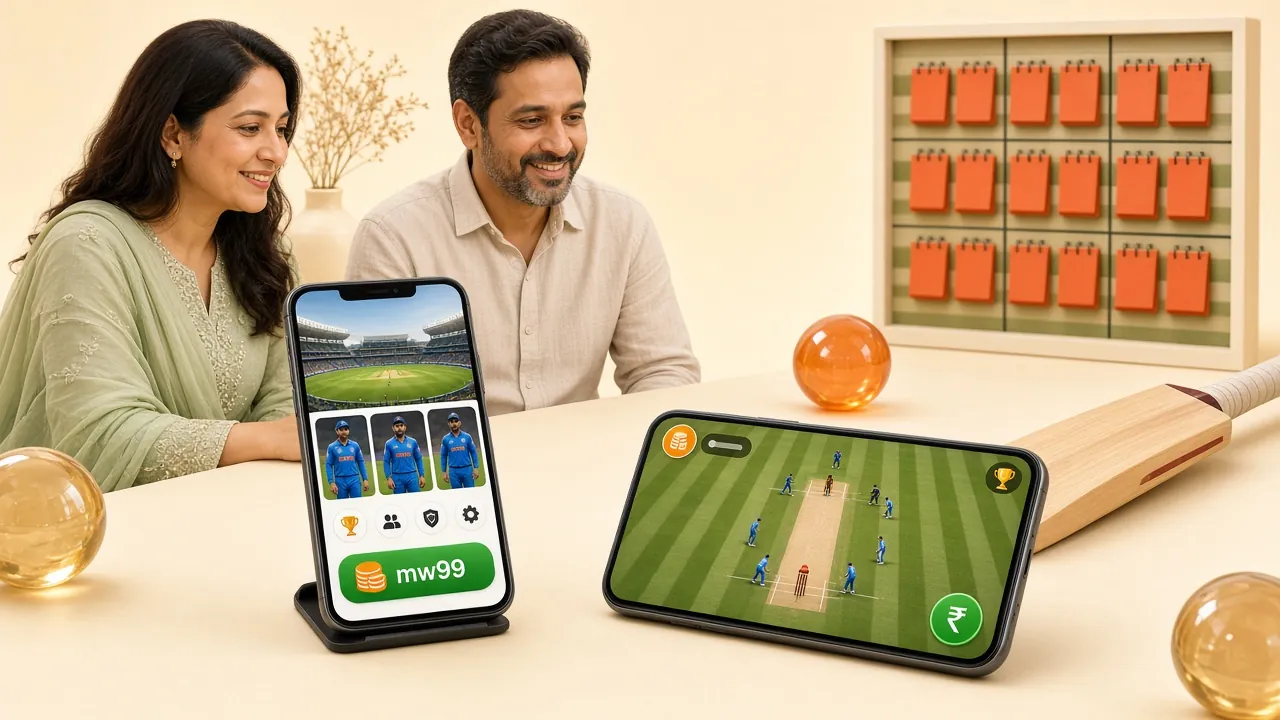
What You Can Play Inside the App
The app carries the full game library. Here are the main sections you will find after logging in.
Cricket Betting — Live and Pre-Match
Bet on T20, ODI and BPL matches with live odds that update ball by ball. Place 1X2, next wicket and total runs markets while the game is in progress. Minimum bet is just ৳10, so you can follow a full match without spending big. Withdrawals land in your bKash wallet in about 15 minutes after the match settles.
Slots: Titles from Evolution, PG Soft and More
Browse slots from Evolution, Habanero, PG Soft and Sexy Gaming — games like Monster Mine (RTP 97.6%), Tower (RTP 97.4%) and Rave Party Fever (RTP 97.3%) are all available. The app loads game sessions in the same embedded player you would get on desktop, so graphics and sound are identical. Tap the game tile to launch instantly.
Live Casino with Real Dealers
Ezugi and Evolution power the live casino tables. Play Baccarat, Roulette, Blackjack and Dragon Tiger with a human dealer on a live video feed. The app streams at the same quality as a browser session. Minimum buy-in starts at ৳2 on some tables, making it accessible for first-time live casino players on a phone connection.
Fishing Games — Gold Toad and Dragon Fishing
Fishing games like Gold Toad Fishing (Sexy Gaming, RTP 96.4%) and Dragon Fishing (Evolution, RTP 95.5%) are touch-optimised in the app. Tap to shoot, switch cannons and claim bonus rounds. These games play better on a phone screen than on a desktop mouse, because the touch controls map naturally to the aiming mechanic.
Fast Deposits During Match Breaks
The in-app deposit screen is two taps from anywhere: tap the wallet icon, choose bKash, Nagad, Rocket or Bank Transfer, enter the amount (minimum ৳150) and confirm. Funds appear in your account within about 4 minutes. That is fast enough to top up your balance between innings without missing the next over. No fees from our side.
Push Alerts for Match Start and Bonuses
Allow notifications in the app settings and you will receive a push alert when a match you bet on is about to start, when a bonus becomes claimable, or when your withdrawal is confirmed. You can customise which alerts you want in the notification preferences screen. This keeps you informed without needing to check the app manually throughout the day.


App vs. Browser: Which One to Use?
Both routes give you the same account, games and balance. The table below highlights where each option has an edge so you can decide which suits your situation.
| Feature | 70win App (APK) | Mobile Browser |
|---|---|---|
| Installation required | Yes — one-time APK install | No install needed |
| Push notifications | Match alerts, bonus alerts | Not available |
| Load speed (game launch) | Faster — cached assets | Slightly slower on first load |
| Deposit & withdrawal | Same speed — ৳150 min deposit, ~4 min | Same speed — ৳150 min deposit, ~4 min |
| Touch-optimised controls | Fully optimised | Good, but not as smooth on fishing games |
| Works on iOS | Android only (APK) | Yes — Safari + Add to Home Screen |
| Offline access | No — live games need connection | No — live games need connection |
| Auto-update | Manual — download new APK when prompted | Always latest version |
| Biometric login | Fingerprint / Face ID | Browser-dependent |
Recommendation: If you are on Android and bet on cricket regularly, the app is the better choice for push alerts during live matches. If you are on iPhone or prefer not to install anything, use Safari and add the site to your home screen.
70win App — Permissions and What They Are For
The APK requests a small set of permissions. Here is exactly what each one does and why it is needed.
Internet Access
Required to load games, process payments and connect to live dealer streams. Without this permission the app cannot function at all. No data is sent to any third party outside of the 70win platform. All connections use HTTPS with TLS 1.3 encryption.
Push Notifications
Used to send you match start alerts, bonus availability notices and withdrawal confirmations. You can disable individual notification types inside the app under Settings → Notifications at any time. The app will never send unsolicited promotional messages without your opt-in.
Storage Read / Write
Needed to cache game assets so games load faster on repeat visits and to save your session token locally (so you stay logged in). The app only reads and writes to its own designated folder. It does not scan your photos, contacts or other personal files stored on the device.
APK Source Integrity
Only download 70win.apk from this page at 70win.live. Copies distributed through Telegram groups or third-party app stores may be modified and could contain harmful code. If you are unsure whether a file is genuine, delete it and download a fresh copy from the official download link above. The official file size is exactly 52 MB.
Install Problems? Here Is What to Check
Most installation errors have a simple fix. Work through the table below before contacting support.
| Problem | Likely Cause | Fix |
|---|---|---|
| "Install blocked" message | Unknown sources setting is off on your device | Go to Settings → Apps → Special App Access → Install Unknown Apps, find your browser and enable it. Then tap the APK file again to retry the installation. |
| "Parse error" during install | The APK file downloaded incompletely or was corrupted | Delete the partial file from your Downloads folder, check you have a stable internet connection, then download a fresh copy from the official download button above. File size should be exactly 52 MB. |
| App installed but crashes on open | Android version below 6.0, or low device storage | Check your Android version under Settings → About Phone. If it is below 6.0, the app is not compatible — use the mobile browser instead. If your Android is 6.0+, free up at least 100 MB of storage and try again. |
| Download stops at a percentage | Weak or unstable mobile data connection | Switch to Wi-Fi if possible. If Wi-Fi is not available, move to an area with better signal. Some carriers throttle large file downloads on mobile data — if the problem persists, try downloading during off-peak hours or use a different network. |
| White screen after logging in | App cache is outdated or a session token conflict | Go to your phone's Settings → Apps → 70win → Storage → Clear Cache. Restart the app and log in again. If the issue continues, uninstall the app completely, re-download the APK from this page and reinstall. Your account data is stored on the server, not on your phone. |
If none of the above resolves your issue, start a live chat with our support team. They are available 24/7 and can walk you through the fix in real time.
Your Balance and Your Bets, One Tap from the Home Screen
The installed app is built for one hand and a small screen. Balance, cashier and the games you opened last time all sit on the first screen, so nothing is buried under browser tabs.
-
Straight into the lobby Tap the icon and the lobby loads. No address bar, no password typed again on a moving bus.
-
Cashier inside the app Put in ৳150 or more, approve the bKash or Nagad prompt on your phone, and the balance updates in about 4 minutes.
-
Reminders for the matches you follow Turn on alerts for your teams so a cricket chase or a late football kick-off does not slip past you.
-
Small file, older phones welcome 52 MB installed on Android 6.0 and above. A new build installs over the old one and keeps your login.
Questions About the App — Answered
These are the questions we get most often from players who are new to the app.
Is the 70win APK safe to install?
Yes, as long as you download it directly from this page at 70win.live. The official APK is 52 MB and is scanned for malware before each release. We do not distribute the app through Telegram groups or third-party stores. If you received a download link from anywhere other than the official 70win website, delete that file and use the button on this page instead. You can also verify the file size in your Downloads folder after the download completes.
Why does Android say "Install blocked" when I tap the APK?
Android restricts APK files from sources outside the Play Store by default. To fix it, go to Settings → Apps → Special App Access → Install Unknown Apps, find the app you used to download the file (usually your browser), and toggle on "Allow from this source." This one-time permission applies only to that app. After installing 70win, you can turn the setting back off for security if you prefer.
Does the 70win App work on iPhone?
The APK file is Android-only and cannot be installed on an iPhone or iPad. iOS users can access the full site through Safari at 70win.live and add it to their home screen using the Share → Add to Home Screen shortcut (see the iOS steps section above). The home screen shortcut opens the site in full-screen mode, so it behaves like an app. All games, deposits and withdrawals work the same way on iOS through the browser.
How do I update the 70win App to the latest version?
The app does not update automatically like Play Store apps. When a new version is released, you will see a banner inside the app prompting you to update. Tap the banner, download the new APK from the link provided (or from this page), and install it over the existing version — you do not need to uninstall first. Your account, balance and bet history remain intact. The current version is 2.6.19, released on 13 November 2026.
What is the minimum deposit through the app?
The minimum deposit is ৳150 for all payment methods — bKash, Nagad, Rocket and Bank Transfer. Deposits usually reflect in your account within about 4 minutes. The app deposit screen walks you through each step: select a payment method, enter the amount, confirm the mobile banking PIN on your phone's banking app, and the funds appear in your 70win wallet. There are no additional fees charged by us on deposits.
Can I withdraw to bKash directly from the app?
Yes. Tap the wallet icon inside the app, select "Withdraw," choose bKash (or Nagad, Rocket, or Bank Transfer), enter the amount (minimum ৳600, maximum ৳180,000 per day), and confirm. First-time withdrawals may take up to 2 hours while your account details are reviewed. Subsequent withdrawals are typically processed within about 15 minutes. Make sure your bKash number matches the one registered to your 70win account.
Do I need a separate account to use the app?
No. The app uses your existing 70win account. If you already registered on the website, just enter the same phone number and password in the app. If you are new, you can register directly inside the app or visit the 70win Register page on the website. One account works across the app, mobile browser and desktop — your balance, bonuses and bet history all stay in sync in real time.
Take 70win With You to the Next Match
The APK is ready whenever you are. Install it once, log in with your usual number, and place your first cricket bet before the toss. If you do not have an account yet, create one in a couple of minutes and come back to this page.
- File name: 70win.apk
- Version 2.6.19 · 52 MB
- Needs Android 6.0 or newer
- English and Bangla interface
- Free, no subscription
18+ · Play Responsibly